
By Low Handicap Golf | Updated May 2026
The golfer who practices between rounds improves faster than the one who only practices at the course. Everyone knows this. The challenge is that getting to the range or practice facility requires time, a car ride, and a window in the schedule that doesn’t always exist on weekday evenings or early mornings before work. A proper home practice setup eliminates all of those friction points and replaces them with something far more valuable: the ability to work on your game for 20 minutes whenever the opportunity presents itself.
The case for home golf practice is stronger than most golfers realize. Studies on skill acquisition consistently show that distributed practice — shorter, more frequent sessions — outperforms blocked practice — long, infrequent range sessions — for building lasting motor patterns. The golfer who putts for 20 minutes four times per week will develop a more consistent stroke than the golfer who spends two hours on the putting green once a week. Home practice makes distributed practice possible.
The good news is that a functional home golf setup doesn’t require a garage conversion or a $10,000 simulator budget. You can build an effective practice environment in stages, starting with a putting mat and working up to whatever level of investment makes sense for your game and your space. This guide covers every component — putting mats, chipping nets, swing trainers, and launch monitors — with specific product recommendations at different price points.
Section 1: Putting Mats — The Highest-Return Starting Point
Putting is 40% of your score. It’s also the only part of the golf game you can practice fully indoors on any floor in any room. A good putting mat provides a realistic roll, a true surface, and the ability to work on stroke mechanics, alignment, and distance control without leaving your house.
What to look for: A putting mat worth using has consistent pile direction (so the ball rolls true), a length of at least 9 feet for meaningful lag putting practice, markings or guides that help with alignment, and a hole cup that simulates real putting conditions rather than a plastic slot that accepts any roll.
Recommendation: Perfect Practice Putting Mat — Best Mid-Range Putting Mat
Price: ~$149–$179 | Length: 9 feet
The Perfect Practice Putting Mat is the most recommended putting mat across independent golf reviews for 2026, and having used one extensively, the endorsement is deserved. The Tour-quality synthetic turf produces a consistent, realistic ball roll that translates to the course more directly than cheap mats. The alignment guide built into the surface eliminates setup guesswork, and the cup accepts only putts with a realistic pace — anything dying into the hole drops in, anything too firm bounces out, just like a real cup. The return ramp sends the ball back to your feet for high-repetition short putt practice without constant retrieval. At 9 feet, it accommodates both short putting practice and meaningful stroke tempo work from longer distances.
Pros:
- Tour-quality synthetic turf rolls true and translates to on-course feel
- Built-in alignment guide improves setup consistency without extra aids
- Cup rejects putts with unrealistic pace — trains proper speed control
- Ball return ramp enables high-repetition practice without interruption
- Strong resale recognition — the most recommended mat in its price tier
Cons:
- 9 feet limits lag putting practice from realistic distances
- Premium price for a mat — cheaper options exist for basic stroke work
- Requires a flat, hard floor — carpet underneath affects roll consistency
- No slope simulation — flat mat only
Best for: Golfers who want a proper at-home putting setup for stroke mechanics, short putting repetition, and alignment training at the most recommended price point in the category.
Recommendation: SKLZ Accelerator Pro Putting Mat — Best Budget Putting Mat
Price: ~$39–$49 | Length: 9 feet
The SKLZ Accelerator Pro is the putting mat most beginners and budget-conscious golfers should start with. It includes an automatic ball return, a built-in alignment guide, and an adjustable cup with two hole sizes — a standard cup and a smaller “training” cup that demands more precision and trains the visual focus that carries over to standard putts. The compact footprint fits any room. At under $50, it removes every financial barrier to consistent putting practice and delivers the core function — a flat surface that rolls true — without the premium extras.
Pros:
- Best value putting mat — full function at under $50
- Adjustable cup with standard and training sizes adds practice variety
- Automatic ball return eliminates constant retrieval
- Compact, lightweight design fits anywhere and stores easily
- Good entry point before committing to a premium mat
Cons:
- Thinner synthetic turf — less realistic roll than premium mats
- Limited at 9 feet — no room for longer putting practice
- Ball return mechanism occasionally misdirects the ball on faster strokes
- No slope simulation
Best for: Golfers starting their home practice setup who want a functional putting mat without spending $150+.
Section 2: Chipping Nets — Bring the Short Game Indoors
A chipping net transforms a backyard, garage, or even a large room into a short game practice area. Chipping practice at home is particularly valuable because it allows high-repetition work on the partial wedge shots inside 50 yards — the yardages most amateur golfers neglect and where the most scoring opportunities are lost.
What to look for: A chipping net that’s stable under repeated impact, large enough that you’re aiming at a target rather than just swinging into a fabric wall, easy to set up and take down for storage, and ideally with multiple target zones to develop distance control.
Recommendation: Callaway Chip-Shot Chipping Net — Best Chipping Net
Price: ~$59–$79 | Size: Multiple target zones
The Callaway Chip-Shot is the most complete chipping net for home use at this price point. The three target zones — a large outer net, a medium middle ring, and a small bullseye center — create a real practice challenge rather than a simple target. Aiming for the bullseye from 15 yards develops the precision that produces tight pitches; landing in the middle ring is acceptable; missing the outer net entirely tells you everything you need to know about your aim and technique that session.
The pop-up construction sets up and breaks down in under a minute. The base is weighted, which keeps the net stable on grass or hard ground without stakes. At 35 inches wide and 24 inches tall, the target is realistically sized for meaningful challenge from distances of 10–30 yards.
Pros:
- Three target zones create genuine precision challenge
- Pop-up construction sets up and breaks down in under 60 seconds
- Weighted base provides stability without stakes on most surfaces
- Callaway brand quality — durable construction that holds up under repeated use
- Compact when folded — stores in a carry bag smaller than an umbrella
Cons:
- Rebounds chips hard off the frame edges — can be disruptive to rhythm
- Not suitable for full wedge shots — a chipping net, not a full practice net
- 35-inch width is specific — beginners may find the target too small initially
- The bullseye target is small enough to be frustrating before technique develops
Best for: Golfers who want a portable, multi-target chipping net for backyard or garage practice on partial wedge shots from 10–30 yards.
Section 3: Swing Trainers — Build Mechanics Without a Range
A swing trainer is a training aid that you can use at home, with or without hitting a ball, to ingrain specific swing mechanics. The best ones provide immediate physical feedback — you can’t fake the correct movement or muscle through a compensation. Used consistently in 15-minute home sessions, they accelerate technique improvement between range visits in ways that pure mental practice can’t match.
Recommendation: Lag Shot 7-Iron — Best Home Swing Trainer
Price: ~$120 | Category: Tempo/Sequence/Lag
The Lag Shot 7-Iron is the most consistently recommended swing trainer across independent golf reviews — named Golf Digest’s Editors’ Choice Best Swing Trainer and the top pick in multiple 2026 training aid guides. The extremely flexible shaft requires the correct downswing sequence (lower body first, arms following, clubhead releasing last) to produce a clean strike. If you cast from the top or rush the transition, the shaft whips and the strike is terrible. If you sequence correctly, the flexible shaft loads and releases beautifully, producing the feel of a perfect, effortless swing.
For home use specifically, the Lag Shot has a critical advantage over most training aids: you can use it indoors without hitting a ball, purely as a swing feel device, or take it to the garden and hit real shots. It’s a 7-iron you can hit, which means the feedback loop is complete. Use it for 15 minutes before heading to the range and you’ll arrive with your sequence already grooved.
Pros:
- Complete feedback loop — hit real golf balls for instant flight feedback
- Works indoors as a swing feel device and outdoors for real shot practice
- Addresses tempo, lag, sequence, and release simultaneously — the most versatile trainer
- Golf Digest Editors’ Choice Best Swing Trainer — proven, peer-reviewed recommendation
- 30-day money-back guarantee from Lag Shot directly
Cons:
- ~$120 is the higher end of training aid pricing
- Flexible shaft can feel foreign initially — requires patience before improvement is felt
- Very heavy compared to a standard 7-iron — not suitable for golfers with arm or wrist issues
- Not a quick-fix — benefits accumulate with consistent practice over weeks
Best for: Golfers who want a single swing training tool for home use that addresses tempo, lag, and sequence with real ball flight feedback.
Recommendation: Tour Striker Smart Ball — Best Connection Trainer
Price: ~$40 | Category: Arm-body connection
The Tour Striker Smart Ball is an inflatable ball attached to a lanyard that rests between your forearms at address. The goal is to keep it in place throughout the swing. Drop it — through a flying elbow, a chicken wing, or a disconnected takeaway — and you instantly know what went wrong. Keep it in place and you’ve made a synchronized, connected swing.
At $40, it’s one of the best-value training aids available, and it’s used by PGA Tour players including Justin Rose. For home use it’s particularly effective because the lanyard can be adjusted for different body types, it works in any room with enough ceiling clearance for a half-swing, and the feedback is binary — the ball is in or it isn’t. No guessing. Pair it with the Lag Shot for a 20-minute home session that addresses both connection and sequence simultaneously.
Pros:
- Immediate physical feedback — the ball drops or it doesn’t
- Works for full swing, pitching, chipping, and even putting mechanics
- Adjustable for different body sizes
- Tour-validated — used by Justin Rose and other tour players
- Exceptional value at $40 for a genuinely effective training tool
Cons:
- Requires adequate ceiling height for meaningful swing practice indoors
- Works best with pre-existing basic swing knowledge — absolute beginners may need context
- Inflatable ball can lose air over time — occasional maintenance needed
- Doesn’t address path or club face angle independently
Best for: Golfers who want to ingrain arm-body connection at any skill level — the best $40 training investment in home golf practice.
Section 4: Launch Monitors — The Data Layer That Changes Everything
A launch monitor transforms home practice from feel-based guessing into data-informed improvement. Knowing your actual ball speed, spin rate, carry distance, and launch angle on every swing eliminates the “I think I’m hitting it 160 yards” ambiguity and replaces it with “I carry my 7-iron 148 yards, and here’s my launch angle and spin rate.” That data accelerates improvement in a way that no amount of unsupported practice can match.
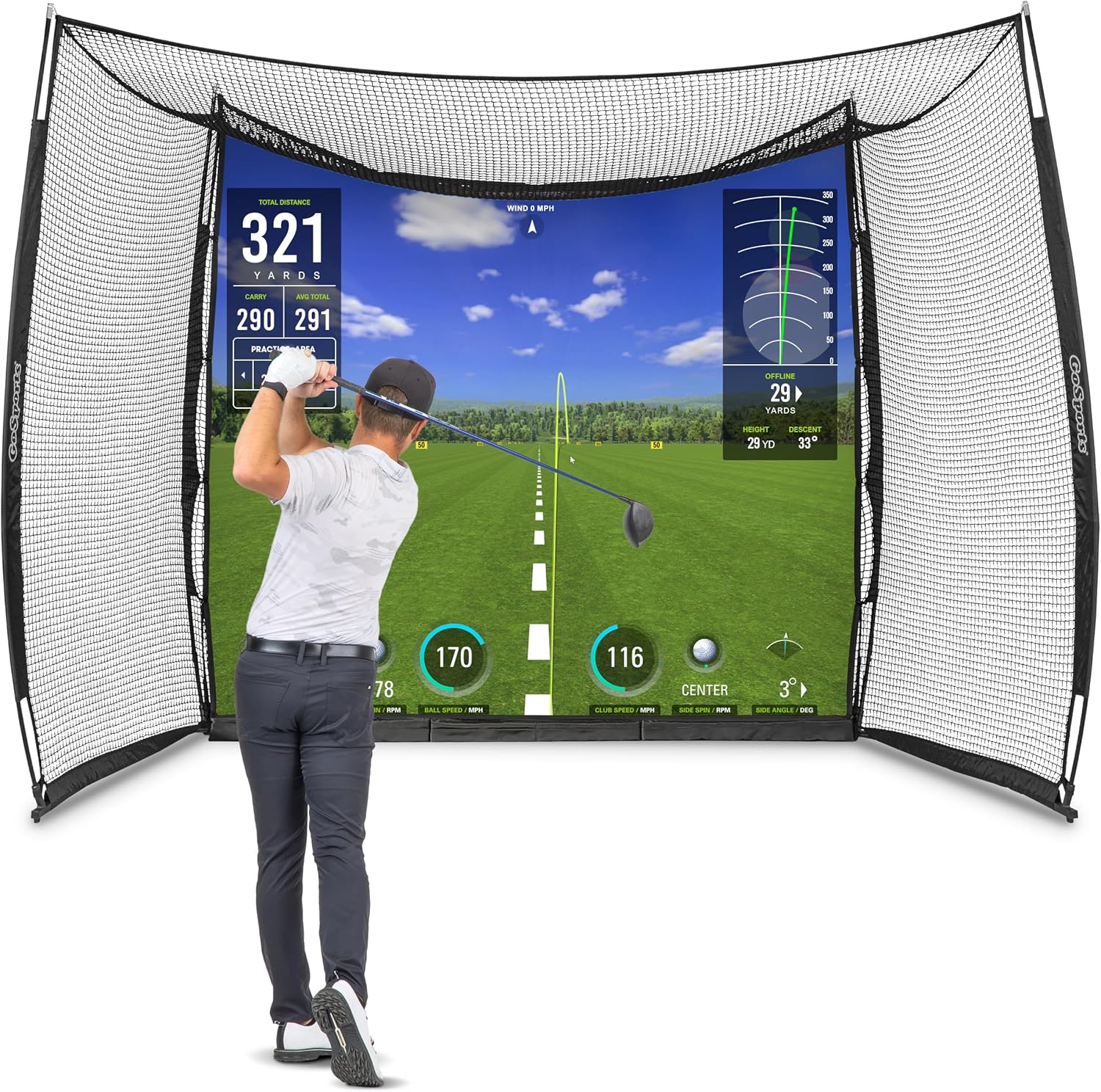
For home use, a launch monitor also integrates with simulator software for virtual course play — turning your net or chipping area into a full-round practice environment.
Recommendation: Garmin Approach R10 — Best Entry-Level Launch Monitor for Home Use
Price: ~$499 | Technology: Radar | Space Required: 6+ feet
The Garmin R10 is the best entry-level launch monitor for home use in 2026. At $499, it delivers 16 tracked parameters including ball speed, launch angle, spin rate, and carry distance — data that would have cost $5,000 five years ago. The official GSPro compatibility added in a 2026 update gives access to 140,000+ virtual course holes for a one-time software purchase, transforming a basic net and mat setup into a genuine simulator experience.
For home practice, the R10 sits behind the ball and requires about 6 feet of room depth for reliable indoor readings. Accuracy is excellent for an entry-level radar unit — particularly on full iron shots — though short game and wedge data are less precise than camera-based alternatives. The Garmin Golf app provides shot-by-shot feedback and integrates with the GPS watch ecosystem for golfers already using a Garmin device.
Pros:
- Best-in-class value at the entry-level price point — 16 parameters for $499
- Official GSPro compatibility provides access to 140,000+ virtual course holes
- Garmin Golf app provides clean, accessible shot data and session tracking
- Portable — works indoors, outdoors, and at the range with equal convenience
- No permanent installation required
Cons:
- Radar technology less accurate than camera units on short game shots indoors
- Garmin Golf subscription ($99/year) required for full course simulation features
- Short room depth requirement limits usefulness for golfers with very low ceilings
- Driver accuracy slightly less reliable indoors than on a full outdoor range session
Best for: Golfers who want real shot data for home practice and basic virtual course simulation without spending $1,500+ on a camera-based system.
Recommendation: Rapsodo MLM2PRO — Best Mid-Range Launch Monitor for Home Use
Price: ~$699 | Technology: Dual cameras + radar | Space Required: 8+ feet
The Rapsodo MLM2PRO bridges entry-level and mid-range performance with a dual-camera and Doppler radar system that produces more reliable spin data than the Garmin R10 — particularly for wedge and short iron shots where backspin accuracy matters most for distance control. The shot video replay is a standout feature for home practice: every shot is captured on video alongside the data, letting you see exactly what your swing did on any specific strike. That combination of visual and data feedback accelerates learning in a way neither provides alone.
GSPro compatibility is included, and the device connects over Wi-Fi rather than Bluetooth, which produces a more stable data connection in home environments. At $699 for the device, it sits comfortably between the Garmin R10 and the $1,299 FlightScope Mevo Gen2 in the mid-range tier.
Pros:
- Dual cameras + radar produce more reliable spin data than pure radar units
- Shot video replay on every ball provides visual feedback alongside the numbers
- GSPro compatible for full virtual course simulation
- Wi-Fi connection produces stable, reliable data transmission indoors
- Best mid-range launch monitor for wedge and short iron data quality
Cons:
- Requires 8+ feet of room depth for reliable readings
- Setup is more complex than the Garmin R10 — Wi-Fi pairing and alignment takes more effort
- Camera technology can struggle in low-light indoor environments
- $699 is meaningful spending for golfers primarily focused on feel rather than data
Best for: Golfers who want genuine spin data for wedge practice alongside video feedback — the upgrade from Garmin R10 that matters for short game development.
Building Your Home Practice Setup: Start Simple, Add Gradually
The trap most golfers fall into with home practice setups is trying to build everything at once, spending significantly, then using the equipment sporadically because it’s too much to set up for a quick session. The better approach is layered: start with what you’ll use most often and add components as the habit solidifies.
Start here (under $250):
- Perfect Practice Putting Mat (~$165) — the highest-return single purchase in home golf practice
- Alignment sticks (~$15) — for stroke and setup work alongside the mat
- Tour Striker Smart Ball (~$40) — 20 minutes of connection training before range sessions
Add this next (~$150–$200 more):
- Lag Shot 7-Iron (~$120) — systematic sequence improvement for a full season
- Callaway Chip-Shot Net (~$70) — backyard short game practice in under 5 minutes of setup
Upgrade when the habit is established (~$500+):
- Garmin R10 (~$499) — data layer that transforms all swing practice into information
- A basic net and mat package (~$200–$400) to pair with the launch monitor
The golfer who spends 20 minutes on a putting mat four evenings per week will putt measurably better within a month. The golfer who swings the Lag Shot before every range session will sequence better within a season. The golfer who adds the Garmin R10 will understand their actual distances and start making smarter club selections on the course. Each layer compounds the one before.
Final Verdict
Home practice is the most efficient investment available in your golf game — not because the tools are magic, but because consistency beats intensity every time. A proper home setup makes consistency possible.
The putting mat comes first. Every time. After that, build the setup around the part of your game that costs you the most strokes, and add data tools when the fundamentals are in place to use them productively.
Low Handicap Golf may earn a commission through affiliate links on this page at no additional cost to you. All product recommendations are based on independent research and real-world testing.
Leave a Reply